
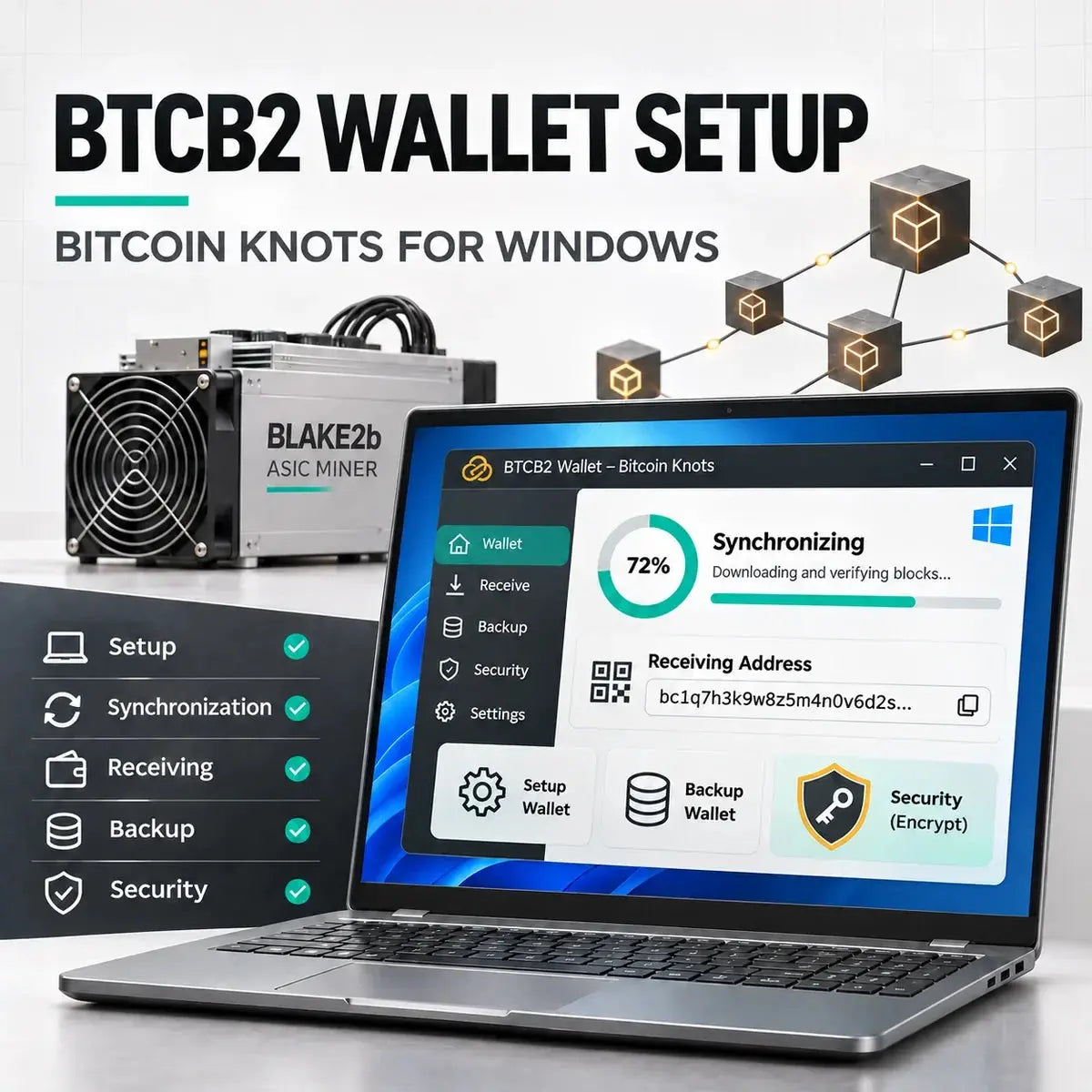
How to Set Up a BTCB2 Wallet with Bitcoin Knots on Windows
verified download · separate data directory · encrypted wallet · receiving address · backup and payout checks
On This Page
1BTCB2 Wallet Setup: The Safe Short Version
Use the current Bitcoin Knots release from the official site, create a completely separate data directory and a fresh encrypted wallet, let the node synchronize with the intended BLAKE2b chain, verify the chain before generating a receive address, and back up the wallet before directing mining payouts to it.
This guide uses BTCB2 as a practical label for the BLAKE2b minority fork. Some services use XBT or other labels. A ticker is not a network identifier, and a familiar-looking Bitcoin address does not prove that a service is using the same chain. Confirm the software version, chain tip, payout network, and current pool documentation together.
Do not import a BTC seed phrase, BTC private key, exchange deposit address, or a wallet containing meaningful Bitcoin funds into experimental fork software. Create a new wallet for this chain. Shared pre-fork history and similar address formats make separation essential.
This article complements our broader BIP-110, XBT, BTCB2, and BLAKE2b mining guide. That guide explains chain identity, hardware evidence, reward locks, and economic risks. This page focuses only on a clean Windows wallet setup and operational checks.
2What You Need Before Installing
A dedicated Windows user profile or a separate computer is preferable when practical. At minimum, create a clearly named data path such as D:\BTCB2-Knots-Data. The program files and blockchain data do not need to be in the same folder.
The project mining page says an experienced operator who already runs its relevant mainnet node may keep the same data directory. This beginner-focused guide deliberately uses a separate directory so that an experimental setup cannot silently alter, lock, or confuse the files used by an ordinary Bitcoin wallet or node. It may require more storage, but the separation is easier to audit and reverse.
A prune target limits retained block data, but the node still needs space for chainstate, indexes, logs, wallet files, temporary data, and database overhead. Do not size the disk only from the prune number. Leave a healthy free-space margin and monitor it during initial synchronization.
- Windows is fully updated and malware protection is enabled.
- The download will come from the official Bitcoin Knots website.
- A separate data folder has been chosen and is not used by Bitcoin Core or another node.
- An offline backup destination is ready.
- No BTC seed phrase or private key will be imported.
3Download Bitcoin Knots and Verify the Installer
As checked on November 12, 2026, the current Bitcoin Knots release is 29.5.knots20260508. Always begin at the official Bitcoin Knots website and select the current Windows installer. Do not download a wallet executable from a social post, cloud-drive mirror, chat attachment, or mining pool message.
SHA256SUMS and SHA256SUMS.asc.
Get-FileHash .\bitcoin-knots-current-win64-setup.exe -Algorithm SHA256Replace the example filename with the actual installer name. A valid signature on the checksum file and a matching installer hash together provide stronger evidence than trusting the browser download alone. The official site also publishes release fingerprints and verification guidance.
OpenPGP tools may show a valid signature with an untrusted-identity warning when you have not personally certified the signing key. Verify the full fingerprint from an official independent source. Do not dismiss a bad signature, a fingerprint mismatch, or a checksum mismatch.
4Install with a Dedicated Data Directory
Run the verified installer and keep the application in a clearly named location. On first launch, choose a custom data directory created for BTCB2. For this isolated setup method, do not reuse your ordinary Bitcoin node directory. The two networks share earlier history but follow different post-fork consensus rules, so an isolated installation reduces the chance of errors and confusing wallet behavior.
D:\BTCB2-Knots-Data. Write the location into your own recovery notes.
If the application proposes a folder already used by your main Bitcoin wallet or node, cancel and correct the path. Back up the existing Bitcoin wallet before changing anything. Do not experiment inside a directory that protects real BTC.
5Synchronize the Node and Confirm the Intended Chain
Initial synchronization can take hours or days depending on the computer, storage, network connection, peer availability, and selected settings. Keep the computer awake, avoid forced shutdowns, and leave sufficient disk space. A progress indicator reaching 100% is useful, but it is not the only check.
Open the debug console from the application's help or window menu. Menu wording can vary by release. Use read-only commands to inspect the local node:
getblockchaininfo
getdeploymentinfo
getbestblockhash
getblockhash 961640
getblockchaininfo should show that the node is no longer in initial block download before you rely on the balance. In the current project documentation, getdeploymentinfo should report the BLAKE2b deployment active from height 961,640 and long coinbase maturity active from height 979,919 with a maturity value of 25,920. getbestblockhash returns the current local tip, while getblockhash 961640 lets you compare a known post-switch height with a current explorer or project reference.
Do not accept a hash merely because your own node returned it. Compare the height and block hash with a current chain explorer or official project documentation. A normal Bitcoin explorer may follow Bitcoin mainnet and therefore is not a valid BTCB2 reference.
Also confirm that the reported chain height is moving and that peers are connected. A node can appear healthy while following a stale or unintended branch. If trusted sources disagree, pause mining payouts until the discrepancy is explained.
6Create a Fresh Wallet and Encrypt It
Create a new wallet from the application wallet menu. Choose a clear name such as BTCB2-Mining-Wallet. For a normal local wallet, do not select options that disable private keys, create a blank wallet, or require an external signer unless you intentionally use those advanced workflows.
getwalletinfoWallet encryption protects private keys, but losing the passphrase can permanently block spending. Store the passphrase separately from the wallet backup. Never send it to ZC MINER, a pool operator, or anyone claiming to provide wallet support.
7Generate a BTCB2 Receiving Address
Open the Receive tab, add a label such as DATUM mining payout, and request a new address. A Native SegWit address commonly starts with bc1q. Copy it with the built-in copy button and compare the beginning and ending characters after pasting it into the pool or mining interface.
Clicking Request Payment does not send a transaction or charge a fee. It generates a receiving request and address. You may create separate labeled addresses for different miners or pools, which makes accounting and troubleshooting easier.
A BTCB2 address can resemble a Bitcoin address because the networks share technical ancestry. Do not send BTCB2 rewards to a normal BTC exchange deposit address unless that exchange explicitly supports this exact fork and deposit network. Similar text does not make the assets interchangeable.
- The node is synchronized and follows the intended BLAKE2b chain.
- The address was generated by the fresh BTCB2 wallet, not copied from a BTC wallet.
- The full address was checked after pasting.
- The address label identifies the miner or payout source.
- A small test payout will be used before a larger balance accumulates.
8Back Up the Wallet Before Receiving Funds
Use the application's Backup Wallet function and save the backup to offline media. Do not treat a screenshot of the receiving address as a backup. The address can show where funds were sent, but it does not contain the private keys needed to spend them.
The Bitcoin wallet documentation recommends using the wallet backup operation rather than copying a live wallet file directly. Create a new backup after material wallet changes or encryption changes. Do not overwrite the only known-good copy while testing.
9Connect the Wallet to the Current Mining Workflow
The old AlphaPool legacy Stratum V1 pool has closed and its website directs miners toward a DATUM-based workflow. Therefore, old hostnames, ports, worker formats, and payout instructions from earlier tutorials should not be copied into a 2026 setup.
Use the current instructions published by the pool or DATUM operator you actually select. The general workflow is:
| Stage | What It Means | What to Verify |
|---|---|---|
| Accepted share | The mining service accepted submitted work. | Worker name, hashrate, reject rate, and chain identity. |
| Pool or service balance | The service attributes rewards or credits to your account/address. | Payout threshold, fees, reward method, and current terms. |
| Payout transaction | The service says a transaction has been sent. | Transaction ID and appearance in a compatible chain explorer. |
| Wallet transaction | Your synchronized node sees the transaction. | Address, amount, confirmation count, and transaction status. |
| Spendable balance | The wallet considers the output mature and spendable. | Do not confuse an immature mining reward or service balance with available cash. |
Current Bitcoin Knots 29.5 release notes retain a 25,920-block maturity rule for generated blocks from height 979,919 onward, described as roughly 180 days under the target schedule. Pool accounting and payout construction may differ from direct coinbase ownership, so confirm exactly what the service pays and when it becomes spendable. Do not treat displayed rewards as immediate liquid income.
For hardware and chain compatibility context, see our used BLAKE2b miners guide. Before installing any third-party ASIC firmware, also review the ASIC firmware security checklist.
10Common Problems and Safer Fixes
| Problem | Likely Cause | Safer Next Step |
|---|---|---|
| The installer hash does not match. | Wrong file, corrupted download, changed release, or an untrusted source. | Delete it and download again from the official site. Verify the signed checksum list before installing. |
| Kleopatra shows a valid signature but a trust warning. | The signature is cryptographically valid, but you have not certified the signing identity. | Compare the complete fingerprint with an independent official source. Do not confuse this with a bad signature. |
| The node opens an existing BTC wallet or database. | The default Bitcoin data directory was reused. | Close the program immediately. Confirm the BTC backup, then relaunch with the dedicated BTCB2 data path. |
| Synchronization stalls. | Insufficient disk space, slow storage, limited peers, firewall rules, or an outdated build. | Check free space, peer count, logs, network access, and the current Knots release. Do not download random database snapshots. |
| The wallet shows zero after a pool says it paid. | Unsynchronized node, wrong chain, wrong address, immature output, or an unpaid service balance. | Check the transaction ID in a compatible explorer, confirm the wallet address, and review confirmation/maturity status. |
getwalletinfo shows no wallet. |
The wallet is not loaded or was created in another data directory. | Use the wallet menu to load the expected wallet. Confirm the data path before creating anything new. |
| A new wallet does not show old payout funds. | A fresh wallet controls different private keys. | Restore the correct backup. Never import BTC keys merely to search for fork funds. |
| The mining service rejects every share. | Wrong protocol, algorithm variant, block-header support, firmware, endpoint, or worker format. | Stop mining and compare the ASIC/firmware with current DATUM compatibility information. |
11BTCB2 Wallet FAQ
Can I use a normal Bitcoin Core wallet for BTCB2?
Do not assume so. BTCB2 follows a separate post-fork chain with BLAKE2b rules and current Knots-specific behavior. Use the compatible software and a dedicated data directory described by the project.
Should I import my BTC seed to claim fork coins?
No. Importing a valuable BTC seed into experimental software creates an unnecessary private-key risk. Keep BTC keys isolated and use a fresh wallet for mining payouts.
Is a bc1q address automatically a BTCB2 address?
No. Address appearance alone does not identify the network. It is the wallet software, synchronized chain, and service configuration that determine where the transaction exists.
Does Bitcoin Knots display a recovery seed phrase?
Do not assume a consumer-style seed workflow. Use the application's wallet backup function, protect the encryption passphrase separately, and test the documented restore process.
Can I use the old AlphaPool server and port from an earlier guide?
No. The legacy pool is closed. Follow the current DATUM or pool instructions and verify that they support the same chain and your hardware.
Why is my mined balance not spendable yet?
The output may be a service balance, an unconfirmed payout, or an immature generated reward. The current chain also uses an extended maturity rule for newer generated blocks. Check the transaction type and confirmations rather than relying on one displayed number.
12References and Further Reading
- Bitcoin Knots Official Website and DownloadsCurrent release, official Windows downloads, signatures, and fingerprints.
- Bitcoin Knots 29.5 Release NotesSupported operating systems, current release changes, and long coinbase maturity rules.
- Bitcoin Wallet Management DocumentationWallet creation, encryption, backup, restore, and passphrase cautions used as operational guidance.
- Bitcoin Data and Wallet File DocumentationData-directory context and the recommendation to use the wallet backup operation.
- AlphaPool Legacy Pool StatusNotice that the legacy pool is closed and miners should move to the current DATUM workflow.
- Bitcoin BLAKE2b Mining InformationCurrent project-side mining and DATUM context. Verify details again before configuration.
- BT Miners BTCB2 Wallet Setup ArticleSecondary background source. Outdated release and legacy-pool details were not carried into this guide.
A Wallet Is Ready Only After Verification and Backup
Installing an application is only the first step. A safer BTCB2 setup requires a verified installer, a dedicated data directory, the intended synchronized chain, a fresh encrypted wallet, an independently checked receive address, and an offline backup that you know how to restore.
Keep the first payout small. Confirm every stage from accepted share to wallet transaction and spendable balance before committing more hardware or allowing a large service-side balance to accumulate.


Deixar comentário
Este site é protegido por hCaptcha e a Política de privacidade e os Termos de serviço do hCaptcha se aplicam.