
How to Start Bitcoin Mining in 2026: Beginner's ASIC Setup Guide
Choose a compatible SHA-256 miner, verify power and airflow, connect it to a pool, secure the dashboard, and validate the first 24 hours without relying on a temporary profit screenshot.
On This Page
1Quick Answer: The Beginner Bitcoin ASIC Setup Path
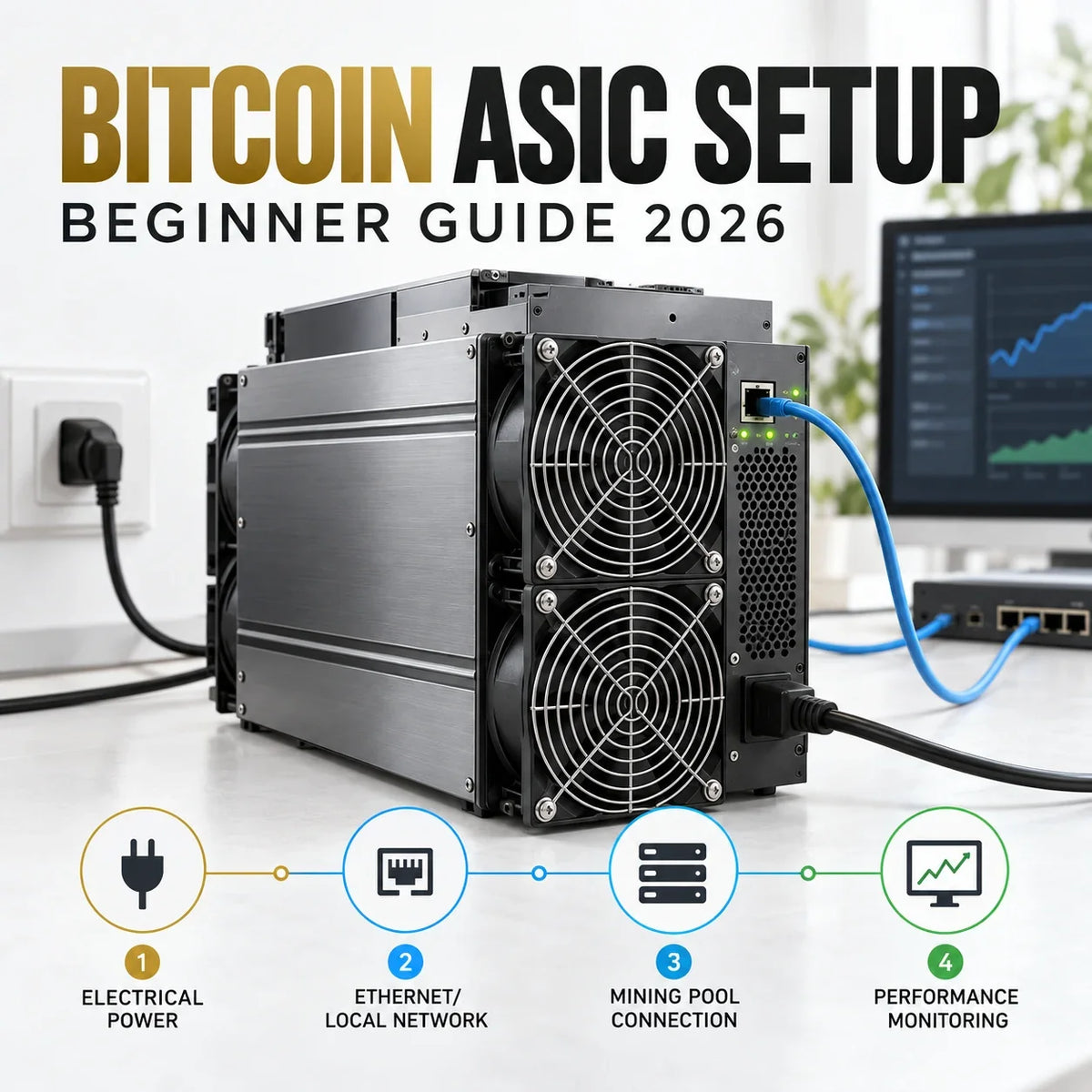
To start Bitcoin mining, use a SHA-256 ASIC, confirm that the installation can safely supply its continuous electrical load, provide a stable wired network and exhaust the heat, then connect the miner to a reputable Bitcoin mining pool. After startup, find the miner's local IP address, change the default credentials, enter the pool URL and worker name, and monitor accepted shares, rejected shares, temperatures, fans, wall power, and restarts for at least the first day.
This guide is intentionally about deployment. It does not rank every miner or promise a return. If you are still deciding what an ASIC is, how its hashboards and controller work, or whether it suits your budget, begin with What Is an ASIC Miner?. If you already own a device, use the sequence below as a practical installation checklist.
A compatible SHA-256 ASIC, manufacturer-approved power supply or integrated PSU, correctly rated electrical service, Ethernet connection, local computer or phone, Bitcoin pool account, payout address, and an airflow route that does not recirculate hot exhaust.
2Confirm the ASIC Matches Bitcoin Before You Power It
ASIC means application-specific integrated circuit. The specialization is the reason these machines are efficient, but it also creates a hard boundary: a Bitcoin miner must support SHA-256. A Scrypt, kHeavyHash, Equihash, Blake2b-Sia, or another algorithm-specific ASIC cannot mine Bitcoin merely because firmware or a pool URL is changed.
Do not compare hashrate numbers across unrelated algorithms. A TH/s value only makes sense with the algorithm and efficiency unit beside it. For Bitcoin equipment, compare the rated hashrate, rated power, efficiency in J/TH, required input voltage, PSU arrangement, network port, cooling method, operating temperature, warranty, and condition.
| Check | What to verify | Why it matters |
|---|---|---|
| Algorithm | SHA-256 support for Bitcoin | Algorithm mismatch cannot be fixed by changing a pool. |
| Electrical input | Voltage, current, plug, PSU, cable, and circuit requirements | Nameplate power alone does not confirm that the site is safe. |
| Efficiency | J/TH at the intended operating mode | Two miners with similar hashrate can have very different running cost. |
| Condition | New, used, repaired, warranty, logs, and hashboard status | A low purchase price can conceal repair and downtime risk. |
| Environment | Noise, airflow direction, heat output, dust, and humidity limits | The room must handle the machine continuously, not only during a short test. |
For a used device, request a sustained test, board status, chip count, fan condition, temperature history, error logs, PSU behavior, repair history, and serial-specific warranty information. The new-versus-used ASIC guide provides a deeper inspection framework.
3Run a Site Preflight Before Unboxing
The installation site determines whether a miner can run reliably. A mining ASIC is a continuous electrical load and a continuous heat source. Do not treat a spare extension lead, crowded power strip, closed cabinet, or small unventilated room as a deployment plan.
Use the exact manufacturer specification and local electrical rules. Where the load, outlet, voltage, or wiring is uncertain, have a qualified electrician assess the circuit before operation. A surge strip is not a substitute for correctly rated wiring and overcurrent protection.
For the full watts-to-kWh calculation, cooling overhead, tariff structure, and break-even electricity rate, use the Bitcoin mining electricity cost guide.
4Connect the Hardware in the Right Order
Model-specific instructions always take priority, but the sequence below works as a conservative framework for most air-cooled Bitcoin ASICs. Keep the miner and power supply de-energized while inspecting and connecting cables.
5Find the Miner on the Local Network
The miner and the computer used for setup should be on the same trusted local network. Most miners obtain an IP address from the router by DHCP. You can normally find it through the router's client list, the manufacturer's discovery utility, an IP report button, or a trusted local network scanner.
- Wait several minutes for the miner to complete startup.
- Open the router's connected-device or DHCP list and identify the new wired client.
- If the manufacturer provides an IP discovery utility, download it only from the official support page and run it on the same LAN.
- Enter the local IP address into a browser and confirm the page is the miner's own management interface.
- If the page does not open, confirm link lights, cable and switch port, address range, VLAN, and computer network before resetting the miner.
Bitmain's official setup documentation uses the same basic pattern: connect the miner and computer to the same network, locate the IP, then enter pool and worker information in the web dashboard. Other brands use different discovery tools, so do not assume credentials or reset procedures are interchangeable.
6Secure the Dashboard Before Mining
Miner dashboards are administrative interfaces. They control firmware, pool endpoints, operating modes, and sometimes wallet-related settings. Treat them as infrastructure, not as a public webpage.
- Change default credentials immediately. Use a unique password that is not reused on the pool, email, router, or store account.
- Keep the interface private. Do not expose the dashboard directly to the public internet with port forwarding.
- Use a trusted network segment. Isolate mining devices from sensitive personal or business systems when practical.
- Verify firmware sources. Confirm the exact model and hardware revision. Preserve current settings and a rollback path before changing firmware.
- Secure the pool account. Enable available multifactor authentication, withdrawal locks, address controls, and login alerts.
- Never enter a seed phrase. A pool may need a payout address; it does not need your wallet recovery words or private key.
Use the dedicated ASIC firmware security checklist before installing firmware or enabling remote management.
7Configure the Bitcoin Mining Pool
A pool combines work from many miners and distributes proceeds under its payout method. Bitcoin's developer documentation describes pool shares as proofs that the miner performed a portion of the requested work. Most beginners use a pool because it reduces payout variance compared with trying to find an entire block alone.
Copy the Stratum endpoint from the pool's official setup page. Do not rely on an old screenshot or a copied endpoint from an unrelated article. Select a suitable region, create a clear worker name, enter the required password field, and add secondary endpoints if the firmware supports failover.
| Dashboard field | What belongs there | Common mistake |
|---|---|---|
| Pool URL | Official Bitcoin Stratum endpoint and port for the chosen region | Using a stale, misspelled, or wrong-algorithm endpoint |
| Worker | Pool account plus worker identifier in the pool's required format | Entering an email address or payout address where a worker name is expected |
| Password | The value specified by the pool; often a simple placeholder for Stratum V1 | Reusing an important account password |
| Backup pools | Verified secondary endpoints, preferably from the same pool or a tested alternative | Leaving all backup slots blank and discovering the failure after downtime |
| Payout address | A Bitcoin address you control or fully understand | Skipping independent address verification before payout lock-in |
Pool choice involves payout rules, fees, minimum payout, server location, transparency, account security, support, and concentration risk. Compare these factors in the Bitcoin mining pool guide, then review solo mining versus pool mining before choosing a payout route.
8Monitor the First 24 Hours Before Calling It Stable
A green status light is only the beginning. Let the miner reach normal operating temperature, then compare the local dashboard with the pool dashboard. Short-window hashrate naturally moves; persistent rejects, missing boards, repeated restarts, extreme temperature or unstable power need investigation.
Record a baseline after the miner stabilizes: firmware version, operating mode, local and pool hashrate, accepted and rejected share rate, temperature, fan speed, wall power, pool endpoint, room temperature, and uptime. This makes later troubleshooting much faster.
9Separate Setup Success From Profitability
A miner can be configured correctly and still be uneconomic. Revenue changes with Bitcoin price, network difficulty, block subsidy, transaction fees, pool method, fee level, uptime, and realized hashrate. Operating cost includes more than the miner's nameplate power.
Daily energy (kWh) = measured wall power (kW) × operating hours
Daily electricity cost = daily energy (kWh) × electricity rate
Estimated net cash flow = pool revenue − electricity − pool fees − cooling − maintenance − other operating costs
Do not use one calculator screenshot as a payback promise. Record the date, difficulty, price, pool fee, assumed uptime, measured power, purchase cost, shipping, duty, repair reserve, and resale assumption. Test conservative, base, and optimistic cases. The mining profitability guide provides a broader model.
First prove that the miner is safe and stable. Then decide whether to keep running, change operating mode, move the unit, repair it, or stop. Do not use sunk hardware cost to justify negative operating cash flow.
10Maintenance and Troubleshooting
Maintenance should be based on the environment and observed condition rather than a fixed calendar alone. Dust load, humidity, temperature, power quality, fan wear, and operating mode change how often inspection is needed. Power the unit down safely and follow the manufacturer procedure before opening or cleaning it.
| Symptom | Likely area to check | First safe action |
|---|---|---|
| No dashboard and no network link | Power, PSU, Ethernet cable, switch port, router DHCP | Verify power state and cabling; test a known-good port before resetting. |
| Dashboard opens but pool shows offline | Pool URL, port, DNS, worker format, firewall, system time | Re-copy the official endpoint and confirm another network service is reachable. |
| High reject rate | Latency, endpoint region, unstable tuning, stale work, pool status | Return to stock settings and test a verified regional endpoint. |
| One hashboard missing | Board communication, power, temperature, firmware, hardware fault | Save logs, return to stock firmware/settings, and contact qualified support. |
| Temperature keeps rising | Blocked intake, exhaust recirculation, failed fan, high ambient temperature, dust | Stop the miner if limits are exceeded; restore airflow before restarting. |
| Repeated reboot or power loss | PSU, circuit, connectors, firmware, thermal protection | Power down and inspect the electrical path; do not keep retrying an overheating connector. |
Keep a simple log of downtime, cleaning, fan changes, firmware changes, pool changes, board errors, power readings, and repairs. A stable maintenance record supports better purchase, warranty, resale, and fleet decisions. The beginner mining mistakes checklist covers common planning failures before they become expensive faults.
11Frequently Asked Questions
Can I mine Bitcoin with a GPU or a non-SHA-256 ASIC?
A GPU can technically calculate SHA-256 hashes, but it is not competitive with modern Bitcoin ASICs. An ASIC built for another algorithm cannot be converted into a Bitcoin miner by changing firmware or pool settings.
Do I need a Bitcoin full node to start pool mining?
No. A pool miner normally connects to the pool's Stratum endpoint, while the pool handles block-template infrastructure. Operating your own node is valuable for sovereignty and verification, but it is a separate decision from basic pool setup.
Why does the pool hashrate differ from the miner dashboard?
The miner estimates local work while the pool estimates hashrate from submitted shares over a rolling window. Short-term differences are normal. Investigate persistent gaps together with rejects, stale shares, downtime, missing boards, and unstable tuning.
Should a beginner start with solo mining or a pool?
A pool is usually the practical default for a full-size ASIC because it reduces payout variance. Solo mining may involve long and unpredictable waits even when the hardware is working normally.
Can a Bitcoin ASIC run on a normal household outlet?
Some compact devices may fit an appropriate household circuit, while many full-size miners require different voltage, plug, wiring, or dedicated circuits. Check the exact model, PSU, local code, and continuous-load requirements with a qualified electrician.
When should I update miner firmware?
Update only for a clear reason such as a manufacturer security fix, compatibility requirement, or documented stability improvement. Confirm the exact model, source, release notes, backup, and rollback process before installation.
12References and Further Reading
- Bitcoin Developer Guide: Mining — solo mining, pooled mining, shares, block templates, ASIC work, and reward distribution.
- Bitcoin Developer Guide: Block Chain — proof of work, target, difficulty adjustment, coinbase rewards, and transaction fees.
- Bitmain Support: Miner Setup Example — same-network discovery, IP Reporter, pool URL, and worker configuration.
- Stratum V2: Protocol Security — security properties and authenticated encrypted communication in Stratum V2.
- CISA: First Steps Toward Better Cybersecurity — account, software update, and access-control fundamentals.
- Bitcoin Mining Electricity Cost Guide — wall power, kWh, tariffs, cooling overhead, and operating-cost planning.
Final Setup Rule
A successful first Bitcoin ASIC deployment is not the one with the highest dashboard number on day one. It is the one whose algorithm, electrical service, airflow, network, pool configuration, security, and operating cost have all been verified.
Start with one unit, record a stable baseline, and scale only after the room, circuit, pool connection, and maintenance process prove they can support continuous operation.
Disclaimer: This article is general educational information, not financial, investment, electrical, tax, or hardware-repair advice. Mining revenue, network difficulty, fees, product specifications, firmware, pool terms, electricity rates, and local electrical requirements can change. Verify the exact equipment documentation and use qualified local professionals where appropriate.



Leave a comment
This site is protected by hCaptcha and the hCaptcha Privacy Policy and Terms of Service apply.