
How to Mine Alephium (ALPH) in 2026:
The Complete Beginner Guide
GPU vs ASIC · wallet setup · pool and solo mining · profitability tracking
On This Page
If you are searching for how to mine Alephium, an ALPH mining setup, or GPU vs ASIC for Alephium mining, this guide walks through the practical process from wallet preparation to profitability tracking. The goal is not to promise a return. It is to help you build a setup that can be measured, secured, and operated safely.
1What Is Alephium, and Why Do People Mine ALPH?
Alephium is a Proof-of-Work chain with its own architecture: BlockFlow sharding and a Proof of Less Work design. For miners, the important point is that mining is available through both solo and pool modes.
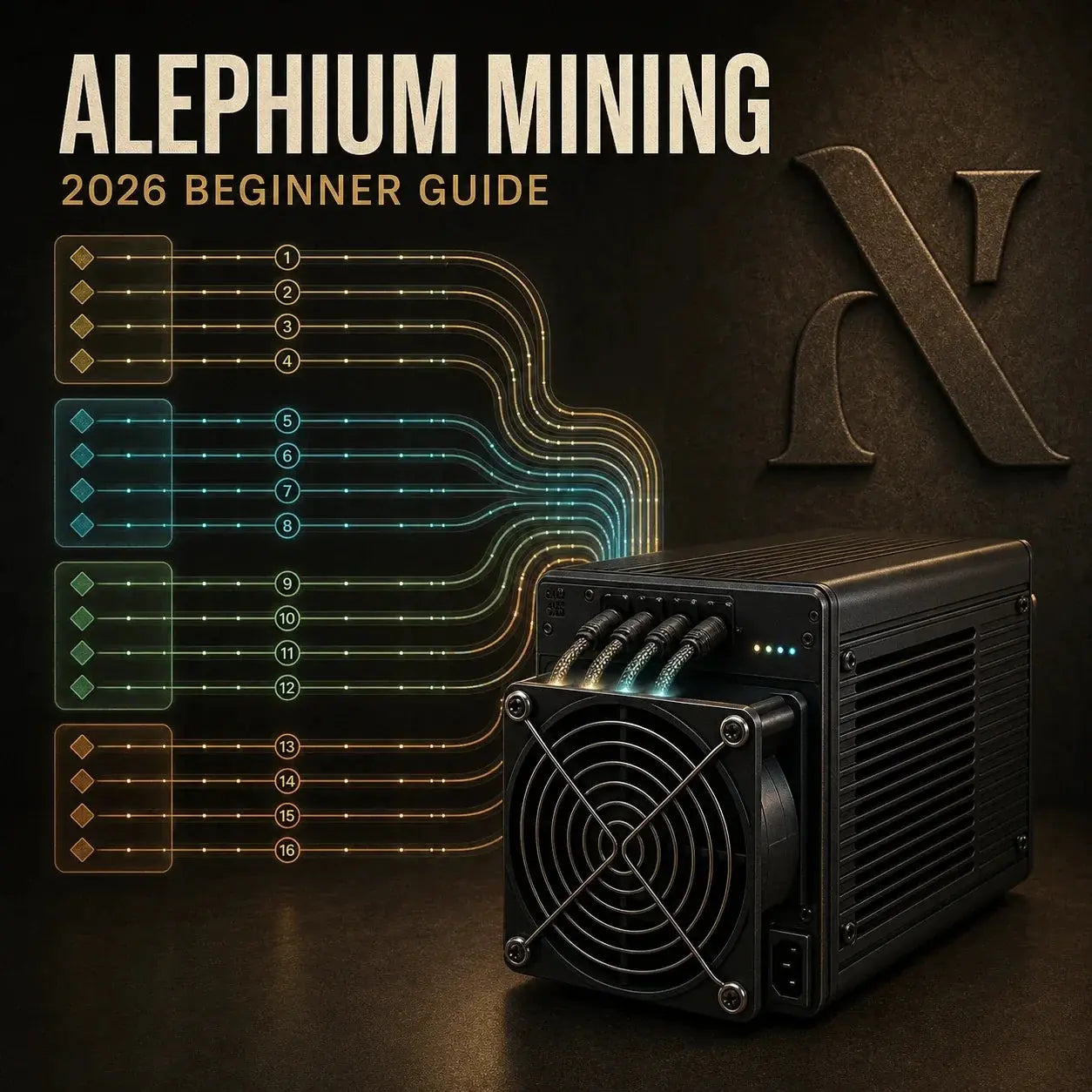
According to the current official mining documentation, Alephium supports four address groups and sixteen chains, targets an eight-second block time, and locks newly mined coins for approximately 500 minutes. These parameters affect wallet preparation, payout timing, and mining variance. Alephium does not use a Bitcoin-style fixed halving schedule; its official FAQ explains that emissions depend on network hashrate and timestamp, so current reward information should always be checked before making ROI assumptions.
The network reward shown in official documentation is a current value, not a permanent specification. Use the official mining overview or ROI calculator on the day you evaluate hardware.
2Is ALPH Mining Worth It for You? A Quick Reality Check
Before buying hardware, answer five questions:
- Is your electricity cost low enough to support positive net profit?
- Do you have a location with acceptable heat and noise conditions?
- Can you run mining equipment continuously and safely?
- Are you comfortable with ALPH price and network-difficulty volatility?
- Can you take a medium-to-long-term view instead of reacting to daily revenue?
If you answered no to most of these, pause the hardware purchase and test with equipment you already own. Wall power, cooling, downtime, pool fees, and maintenance all belong in the calculation. Headline hashrate alone does not tell you whether a setup is viable.
3GPU vs ASIC for Alephium Mining: Which Should You Choose?
This remains the biggest beginner decision.
GPU Mining: Best for Learning and Flexibility
A GPU can be a good fit when you already own gaming or workstation hardware, want a lower-commitment entry, may switch to another coin later, and value resale flexibility. The tradeoff is lower efficiency than specialized hardware under competitive network conditions. Confirm that the current mining software still supports both your GPU and ALPH before making assumptions from an old benchmark.
ASIC Mining: Best for Long-Term Efficiency
An ASIC can be a good fit when you want higher hashrate density, have stable power and ventilation, plan to operate for months rather than days, and accept model-specific resale risk. The tradeoff is a larger upfront cost and stronger dependence on one mining niche. Verify current ALPH support, firmware source, wall power, PSU requirements, warranty, noise, and heat before ordering.
| Decision | Choose GPU when | Choose ASIC when |
|---|---|---|
| Main goal | Learn first and limit commitment | Prioritize continuous output and efficiency |
| Flexibility | You may repurpose or resell the hardware | You accept algorithm-specific hardware risk |
| Site | You can manage drivers, tuning, and a PC platform | You have suitable power, exhaust, and noise control |
| Verification | Check miner software and driver support | Check firmware, wall draw, warranty, and pool compatibility |
The earlier version of this guide used individual device prices and short-lived revenue examples. Those numbers have been removed because hardware pricing, difficulty, and ALPH revenue change too quickly. Compare verified live specifications and calculate net profit at your own electricity rate. The ASIC miner efficiency guide provides a more durable electricity-cost framework.
4Step 1: Set Up Your Alephium Wallet Correctly
You need a wallet before mining so the pool or solo setup has a valid payout destination.
- Download an official Alephium wallet from an official project link.
- Create a new wallet and use a strong local password.
- Back up the recovery phrase offline and never enter it into mining software.
- Prepare the public receiving address required by your mining method.
A miner wallet has an important Alephium-specific detail. The official desktop-wallet guide states that the current network uses four groups and a mining wallet needs one address per group. The desktop wallet can generate these addresses through its advanced setup. Many pools may request one payout address in their own configuration, while solo and full-node workflows require the official miner-address procedure. Follow the instructions for the exact pool or node method you use.
A pool, miner, retailer, or support agent never needs your recovery phrase. Test a small payout before scaling and keep the backup away from the mining computer.
5Step 2: Choose Pool Mining or Solo Mining
For beginners, pool mining is usually the better choice. It provides smoother credited results, easier troubleshooting, and lower payout variance. Compare fee rate, minimum payout, payout schedule, server location, latency, reputation, support, uptime history, and the pool's share of network hashrate.
Alephium's official pool guide maintains a current list of known pools and encourages miners to avoid excessive concentration. A listing is not a guarantee: verify the pool domain, recent payout behavior, current endpoint, and support channel yourself.
Solo mining can make sense when you have enough effective hashrate, full-node management experience, reliable infrastructure, and patience for high-variance payout timing. If this is your first month mining, start with pool mode and learn how accepted shares, pool-side hashrate, and wallet payouts behave before considering solo operation.
6Step 3: Install and Configure Mining Software
Alephium's official pool documentation references the open-source Alephium GPU miner and community options such as BzMiner, lolMiner, T-Rex, and SRBMiner. Availability and support change, so use the current official list and download only from the verified project or developer page.
The configuration structure normally contains the pool endpoint and port, your public wallet or account, and a worker name. Exact algorithm flags and wallet syntax vary by miner and pool. Use the current pool setup page instead of copying an old command unchanged.
- Choose the closest stable regional endpoint.
- Compare the first and last characters of the wallet address after pasting.
- Give every device a unique worker name.
- Start at stock settings and save a copy of the working configuration.
- Change default dashboard passwords and avoid exposing miner control pages to the public internet.
Before installing any firmware or remote tool, review the ASIC firmware security checklist.
7Step 4: Confirm It Is Actually Working
“Program started” is not enough. Validate the complete path:
- The miner reports stable local hashrate.
- Logs show accepted shares rather than repeated rejects.
- The pool dashboard discovers your wallet or account.
- Pool-side hashrate begins to stabilize over time.
- The pending balance changes according to the pool's published rules.
Local and pool hashrate will not match perfectly over short periods because the pool estimates work from submitted shares. If the pool cannot see valid work, do not leave the miner running for days while hoping the problem fixes itself.
8First 48-Hour Monitoring Checklist
Most early losses come from unattended configuration problems. Track hashrate consistency, rejected or stale shares, device temperatures, fan behavior, wall power, reconnect frequency, pool credit, and payout status from the first day.
| Metric | What to record | Common cause when wrong |
|---|---|---|
| Accepted work | Accepted and rejected shares | Wrong endpoint, wallet syntax, unstable tuning, or latency |
| Temperature | Inlet, board, chip, and room trend where available | Recirculation, blocked intake, dust, or excessive tuning |
| Wall power | Stable real consumption, not only dashboard estimates | PSU, voltage, cable, or tuning instability |
| Uptime | Restarts, reconnects, and offline gaps | Network, firmware, overheating, or power interruption |
| Pool credit | Pending balance and payout history | Threshold, lock period, address, or account problem |
Typical root causes include the wrong pool port, an incorrect wallet format, firewall or DNS problems, over-aggressive overclocking, thermal throttling, and an outdated miner version. Change one variable at a time so you can identify what fixed or caused the issue.
9ALPH Mining Profitability: Use Net Profit, Not Hype
Use a consistent baseline model:
- Daily gross revenue = ALPH mined per day multiplied by the current ALPH price.
- Daily electricity cost = wall power in kilowatts multiplied by 24 and your delivered electricity rate.
- Daily net result = gross revenue minus electricity, pool fee, cooling, downtime allowance, and maintenance.
- Simple payback period = total hardware and setup cost divided by a positive daily net result.
Build conservative, base, and optimistic scenarios using live figures from your pool and miner. The previous fixed dollar examples have been removed because they could be mistaken for current earnings. In a conservative scenario, reduce expected revenue, include downtime, and use a less favorable token price. If the project only works in the optimistic case, it is not a resilient plan.
Compare ALPH mining with other opportunities through the 2026 altcoin mining decision framework.
10Risk Management: What Serious Miners Do Differently
Treat mining like operations, not gambling:
- Keep separate records for hashrate, wall power, pool payout, and token price.
- Set thermal and offline alerts.
- Recheck miner versions and pool settings after updates.
- Withdraw from pools regularly instead of leaving a large idle balance.
- Maintain electrical safety margins and clean airflow paths.
- Keep wallet backups offline and redundant.
Mining taxation depends on jurisdiction and may include income recognition when coins are received and gains or losses when they are later disposed of. Keep payout timestamps, ALPH amounts, market-value records, electricity invoices, hardware costs, and disposal records. A clean log from day one is easier to defend and maintain.
11A Seven-Day Beginner Action Plan
- Day 1: wallet setup, mining-address preparation, and offline recovery backup.
- Day 2: pool shortlist, fee review, endpoint verification, and latency test.
- Day 3: miner installation and first launch at stock settings.
- Day 4: accepted-share and pool-dashboard validation.
- Day 5: temperature, wall-power, airflow, and stability review.
- Day 6: first profitability review using conservative net figures.
- Day 7: decide whether to continue, hold, pause, or scale.
The best beginner strategy remains simple: start small, measure net profit honestly, optimize stability before scaling, and upgrade only when your own operating data supports the decision.
12Frequently Asked Questions
Can beginners mine Alephium?
Yes. Start with one supported device and a reputable pool, then verify accepted shares, pool-side hashrate, wall power, temperature, and payout behavior before scaling.
Does Alephium have a fixed halving?
No. Official documentation says the emission schedule depends on network hashrate and timestamp, and rewards are adjusted dynamically.
Why does a mining wallet need four addresses?
The current Alephium network uses four address groups. Its official desktop-wallet documentation explains how to generate one mining address per group.
Should a beginner use a pool or mine solo?
A pool is normally easier because credited work is more frequent and troubleshooting is clearer. Solo mining requires a full node, secure infrastructure, sufficient hashrate, and tolerance for high variance.
13Official References
- Alephium Documentation: Mining OverviewOfficial network structure, target block time, reward reference, mined-coin lock, repositories, and ROI calculator.
- Alephium Documentation: Pool Mining GuideOfficial community pool list, mining-software references, and pool decentralization guidance.
- Alephium Documentation: Configure a Mining WalletOfficial steps for generating one mining address per current address group.
- Alephium Documentation: Miner TroubleshootingOfficial guidance for mining addresses, node connectivity, API access, and miner behavior.
- Alephium Documentation: Frequently Asked QuestionsOfficial explanations of Proof of Less Work, wallets, emissions, and network operation.
- Alephium GitHub: GPU MinerOfficial open-source GPU miner repository referenced by Alephium documentation.
Final Takeaway
The best Alephium mining strategy for beginners is still to start small, measure net profit honestly, optimize stability before scaling, and upgrade only when the data supports it. A reliable setup is one that produces accepted work, controls heat and power, protects the wallet, and remains viable under a conservative scenario.


Leave a comment
This site is protected by hCaptcha and the hCaptcha Privacy Policy and Terms of Service apply.